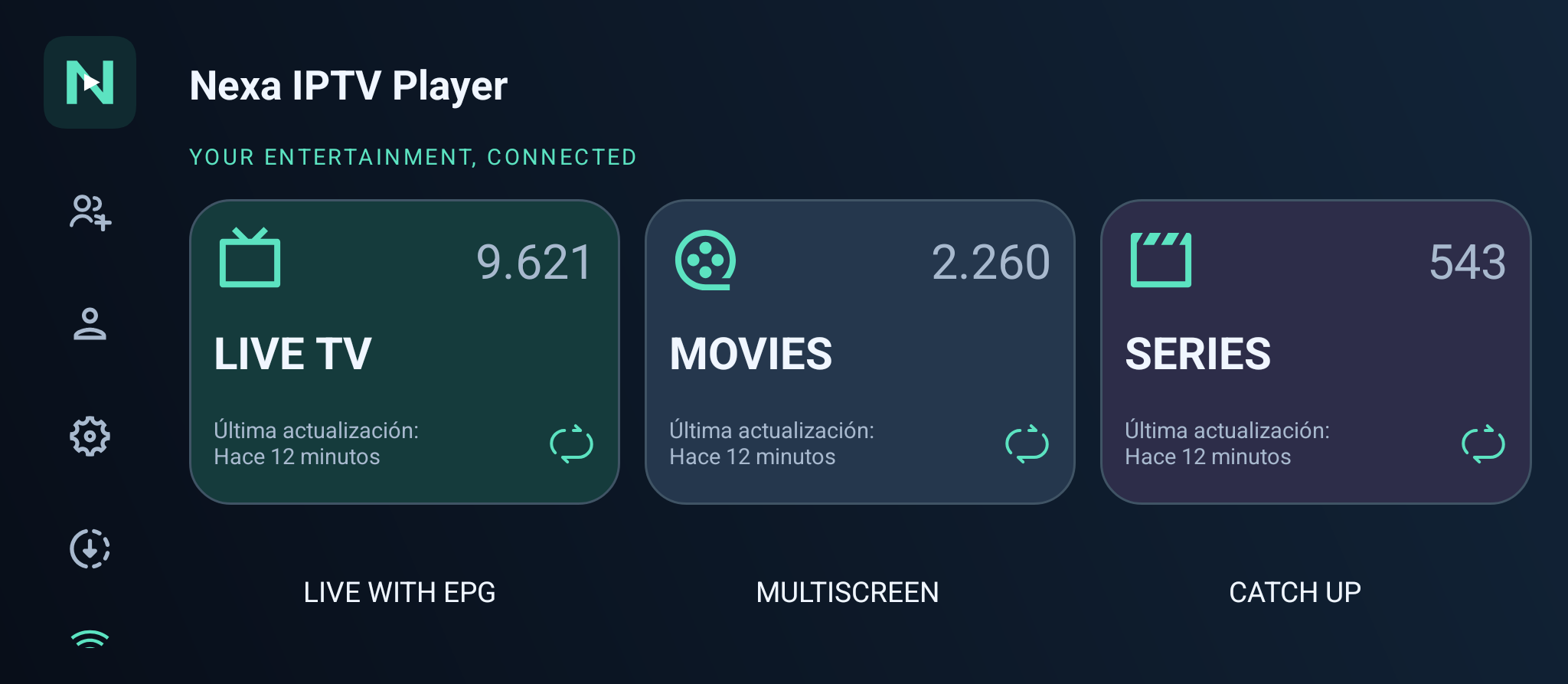
Nexa IPTV Player brings your own M3U playlists and Xtream accounts to Android phones, tablets, Android TV and Google TV. Organize your library and access your synced playlists with one Nexa account.
Actual Nexa Android TV screenshot. Your catalog depends on the playlists you add.
Download the signed Android APKs below while the public Google Play release is pending. For Amazon Fire TV, use our separate Fire TV edition and installation guide.
Download Nexa for your Android device
Choose the mobile or TV edition. Android 6.0 or later is required. The free download includes a 7-day trial; continued access requires a Nexa license.
Android phones and tablets
The mobile interface, built for touch controls. Sign in with Google to access your playlists.
Download or transfer this APK to your TV and open it with a file manager. If asked, allow that app to install APKs. After installation, open Nexa and sign in or link your TV.
One library for your Android screens.
Register up to 5 devices with one license.
On your phone or tablet
Browse your playlists on Android using the mobile interface. Sign in with Google to access your Nexa account.
On Android TV and Google TV
Use a TV interface designed for a remote control. Link the television from another device using the current code shown in Nexa.
M3U and Xtream
Add an M3U URL or Xtream account from a source you are authorized to use. Browse live TV, movies and series when supplied by that source.
How your Nexa account works
Sign in
Use Google on Android. The website also supports Amazon. If you use both providers with the same email, confirm both sign-ins on the website to link them.
Add your own playlist
Open your account and enter the M3U URL or Xtream details supplied by your authorized provider. Nexa does not sell channel packages.
Open your library
Your playlists are available on your linked devices. The catalog, stream quality and simultaneous playback limits depend on your provider.
About the Android IPTV player
Which APK should I install on Google TV?
Use the Android TV APK on compatible Google TV televisions and streaming devices. Google TV uses Android TV OS. The mobile APK is designed for phones and tablets; Amazon Fire TV has its own edition and installation guide.
Can I switch to Google Play when it becomes available?
Yes, once the public release is available. Because Google Play signs its builds with a different certificate, switching from this direct APK may require uninstalling it first. Sign in with the same Nexa account to recover your synced playlists and license. Uninstalling removes local app data.
Is Nexa a free IPTV player?
You can try Nexa for seven days without a card. Continued access requires an annual or lifetime Nexa license. Your trial does not turn into a paid subscription automatically.
Does Nexa include live channels, films or series?
Nexa is a player for your own playlists, not a TV subscription. You need a compatible playlist or provider account, an internet connection and permission to access the content.
Can I use the same account on Android TV and Fire TV?
Yes. Nexa supports Android and a separate Fire TV edition. To combine Google and Amazon accounts with the same email, confirm both sign-ins on the website. Then your linked identities share playlists, devices and license access.
Using an Amazon Fire TV?
Use the Fire TV edition and our Downloader installation guide.